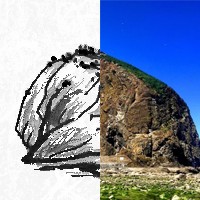
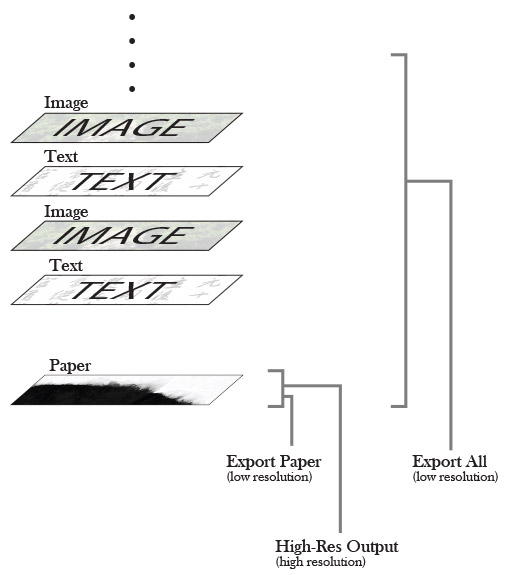
首先處理好尺寸的問題。大千水墨能以解像度300dpi高清輸出圖像,以下例子我們在軟件內準備一張 900 像素 x 3553 像素的長幅畫紙,高清輸出後其對應的印刷面積為 30 cm x 120cm,圖像面積為 3600 像素 x 14212 像素。 如何在這個基礎上既盡量維持印刷質素而又進一步提昇印刷尺寸?
概念是輕微下調印刷密度(即解像度)及輕微增加圖像面積(即像素點數目),以換取印刷面積較大幅度的增加。我們在Photoshop內把此Pure ink輸出的高清圖檔的解像度輕微下調至250 dpi,圖像面積輕微增加 11% 至 3803像素 x 15009 像素,印刷面積就可增加 60% 至38 cm x 152cm。 由於大千水墨能同時開啟四張畫紙繪畫 ,我們利用這特點在軟件內製作四拼畫,即製作一張由四幅長畫作合併而成的大畫。四張長幅畫作按上述方法上調印刷尺寸。最終四畫合併可產生一件152cm x 152cm、即5平方呎的作品 (圖1)。
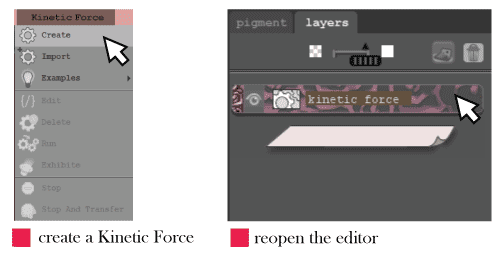
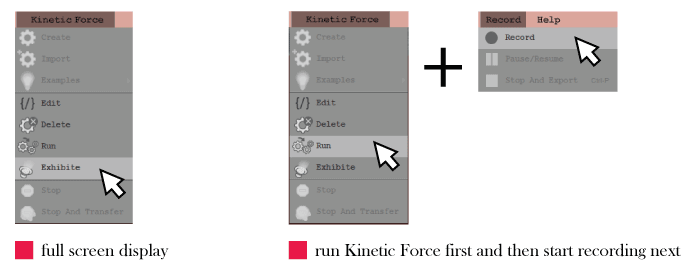
要建立動力碼,請到上方選單選擇「Kinetic Force > Create」,即可建立一個動力碼圖層。編輯器視窗會跳出,並提供起始範本供您使用。
任何時候關閉編輯器後,您都可以在動力碼圖層上按兩下以重新開啟。
選擇「動力碼 > 匯入」可匯入純文字(.txt)格式的程式碼檔案。
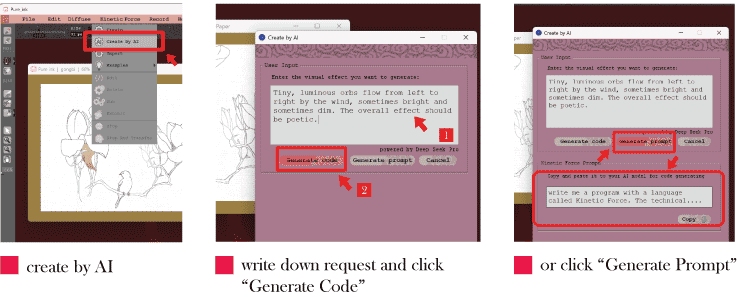
AI輔助編程容許用家僅透過AI指令生成程式,省卻以人手編寫代碼。大千水墨軟件已為此接入DeepSeek。要使用此功能,請到上方選單選擇「Kinetic Force > Create by AI」,直接於視窗內寫下你心想的動態或互動效果,語言不限,然後按Generate Code鍵,軟件就能將您的要求轉譯成能有效生成動力碼的指令 (prompt),再交DeepSeek Flash或Pro模型處理,程式傳回軟件後軟件自動建立動力碼圖層顯示程式,讓你直接執行。
顏色(color)是一種資料型別。顏色資訊會儲存在此型別的變數中,通常以 RGB 三個數值表示。我們透過三個步驟來設定並套用顏色。第一步是宣告一個 color 型別的變數。第二是透過 color() 函式建立一項顏色資訊,並將其存入第一步準備了的 color 變數中。最後, 把顏色應用到圖形填色(透過 fill()) 或輪廓線填色(透過 stroke())上。你也可以將顏色套用到背景(透過 background())。
void setup()
{
// create variable of color type
color c;
// create a dim red color, save it
c = color(200, 100, 100);
// apply this color
fill(c);
// draw a rectangle
rect(0, 0, width, height);
}
以三個步驟設定並套用顏色
此外,可加入第四項輸入值(alpha 值)來設定顏色透明度,見下方完整範例程式碼。
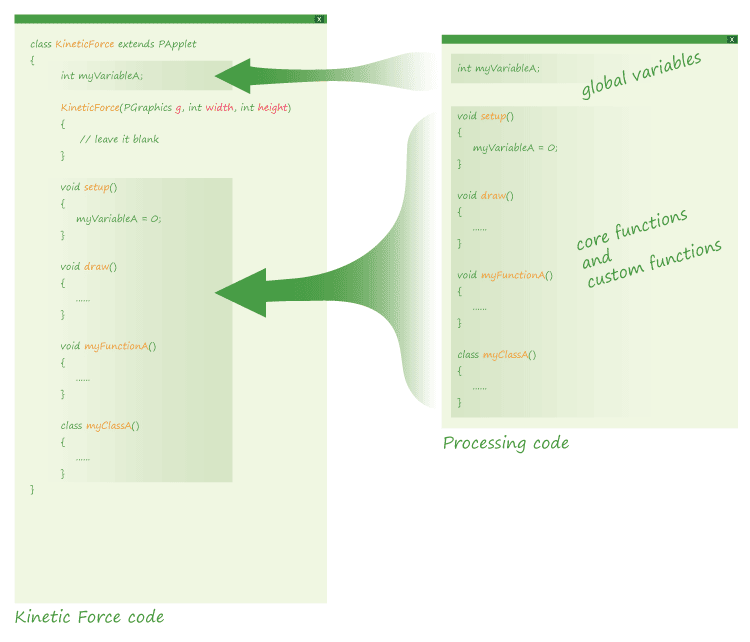
class KineticForce extends PApplet
{
// alpha value, changed from 0 to 255
int alpha;
// either ‘-1’ or ‘1’, the change on ‘alpha’
int step;
KineticForce(PGraphics g, int width, int height)
{
	// leave it blank
}
void setup()
{
alpha = 0;
step = 1;
}
void draw()
{
// clear the background for upcoming frame
background(255, 0);
color c;
// create a dim red color with alpha channel
c = color(200, 100, 100, alpha);
fill(c);
rect(0, 0, width, height);
// increase or decrease the alpha value
alpha = alpha + step;
// reverse 'step' if alpha is too high
if (alpha>255)
{
step=-1;
alpha=254;
}
// reverse ‘step’ if ‘alpha’ is too low
else if (alpha<0)
{
step=1;
alpha = 1;
}
}
}
void draw()
{
	// set the background transparent
	background(255, 0);

	// add random points on the painting
	for (int i=0; i<10000; i++)
	{
		int R = round(200 + 50 * random(0.5,1));
		int G = round(200 + 50 * random(0,1));
		int B = round(200 + 50 * random(0,1));
		int x = random(0,width);
		int y = random(0,height);
		color c = color(R,G,B);
		stroke(c);
		point(x, y);
	}

	delay(200);
}
範例 1:清除了上一幀的點,背景為透明,可顯示畫作。
void draw()
{
	// background color is not transparent
	background(255);

	for (int i=0; i<10000; i++)
	{
		int R = round(200 + 50 * random(0.5,1));
		int G = round(200 + 50 * random(0,1));
		int B = round(200 + 50 * random(0,1));
		int x = random(0,width);
		int y = random(0,height);
		color c = color(R,G,B);
		stroke(c);
		point(x, y);
	}

	delay(200);
}
範例 2:背景為白色但不透明,點不會累積,但背景會遮住畫作。
void draw()
{
	for (int i=0; i<10000; i++)
	{
		int R = round(200 + 50 * random(0.5,1));
		int G = round(200 + 50 * random(0,1));
		int B = round(200 + 50 * random(0,1));
		int x = random(0,width);
		int y = random(0,height);
		color c = color(R,G,B);
		stroke(c);
		point(x, y);
	}
	delay(200);
}
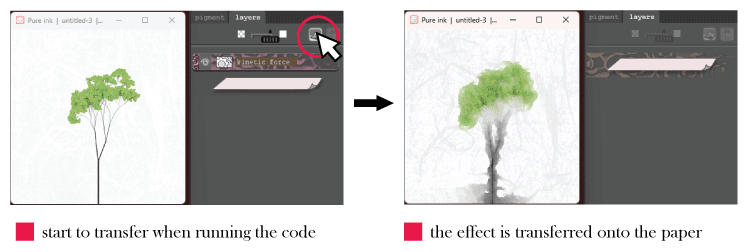
技術上而言,動力碼產生的所有圖形都繪製在 g 上;g 是由 Pure ink 傳遞給 KineticForce 類別的 PGraphics 型別變數。當你執行程式碼時,Pure ink 會顯示 g 中的內容。
void setup()
{
	// two inclined strokes in dim red
	stroke(100,0,0);
	strokeWeight(0.5);
	line(0,35,width,50);

	// two inclined strokes in dim red
	stroke(100,0,0);
	strokeWeight(0.5);
	line(0,35,width,50);
	line(0,25,width,80);

	// the bigger circle
	stroke(200);
	strokeWeight(2);
	noFill();
	circle(140,86,80);

	// the small black circle
	noStroke();
	fill(0);
	circle(36,28,13);

	// the smallest red circle
	fill(240,100,100);
	circle(172,100,10);
}
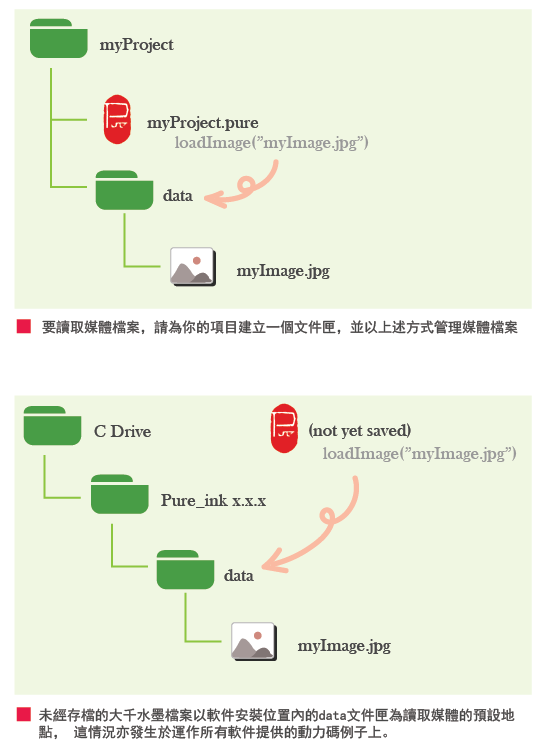
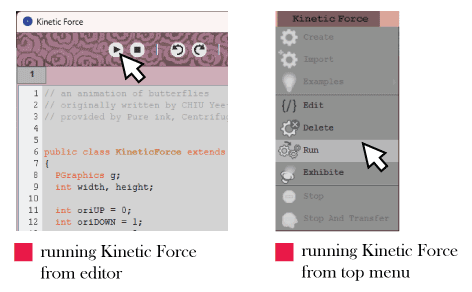
請注意,若你直接於大千水墨軟件內執行軟件所提供的動力碼範例(於上方選單選「Kinetic Force > Examples」),而你的大千水墨檔案尚未事先儲存,那麼軟件會從安裝大千水墨軟件的目錄之『data』資料夾中尋找媒體檔案。由於安裝軟體時,系統已將相關的媒體檔案複製到那個『data』資料夾中,因此這做法是可行的,你會成功執行動力碼並看見相關媒體檔案的顯示。相反,如果你在事前已將大千水墨檔案儲存到特定目錄的情況下去執行那些動力碼範例 ,則會無法載入那些媒體檔案,除非你把那些媒體檔案移動到該目錄內的『data』資料夾中。
void draw()
{
  background(255,0);
  stroke(128);
  for (int i=0; i<200; i=i+20)
  	for (int j=0; j<200; j=j+20)
    {
      // calculate the distance between (i,j) and (mouseX, mouseY)
      float dist = sqrt(pow((i-mouseX),2)+pow((j-mouseY),2));

	  // 'distRatio' tends to be 0 if 'dist' is small
      float distRatio = (dist/290);

      // based on a sigmoid function, 'size' tends to be zero only
      // if 'distRatio' is very small, otherwise it tends to be 20,
      // this only makes the boxes closed to cursor be very small
	  // but preserves the size of the other boxes
      float size = 20 / (1 + exp(-30*(distRatio-0.1)));

      // the boxes closed to cursor is more semi-transparent
      float alpha = 200 + 55 * distRatio;

      fill(180, alpha);
      rect(i,j,int(size), int(size));
    }
}
class KineticForce extends PApplet
{
  int x;          	// x position of the green dot
  int y;          	// y position of the green dot
  float speed;    	// speed of the green dot
  float size;     	// size of the green fot

  KineticForce(PGraphics g, int width, int height)
  {
    // leave it blank
  }

  void setup()
  {
    x = 100;
    y = 100;
    speed = 0;
    size = 11;
    noStroke();
  }

  void draw()
  {
    // only draw after the dot move a while,
    // avoid the starting point be too dark
    if (speed>0.3)
    {
      fill(20,60,20,20);
      circle(x, y, size);
    }
  }

  // set the start point of the dot
  // based on a mouse click
  void mousePressed()
  {
    x = mouseX;
    y = mouseY;
  }

  // user control the movement of the dot
  // by arrow keys. When the dot moves, its
  // speed increase but size decrease
  void keyPressed()
  {
    if (key == CODED)
    {
      if (keyCode == UP)
      {
        y = round(y - speed);
        speed = speed + 0.1;
        size = size - 0.3;
      }
      else if (keyCode == DOWN)
      {
        y = round(y + speed);
        speed = speed + 0.1;
        size = size - 0.3;
      }
      else if (keyCode == LEFT)
      {
        x = round(x - speed);
        speed = speed + 0.1;
        size = size - 0.3;
      }
      else if (keyCode == RIGHT)
      {
        x = round(x + speed);
        speed = speed + 0.1;
        size = size - 0.3;
      }
    }
  }

  // reset the speed and size when user
  // release any key
  void keyReleased()
  {
    speed = 0;
    size = 15;
  }
}
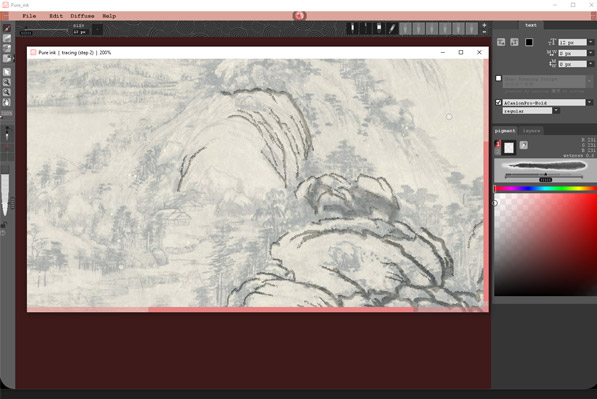
.jpg)





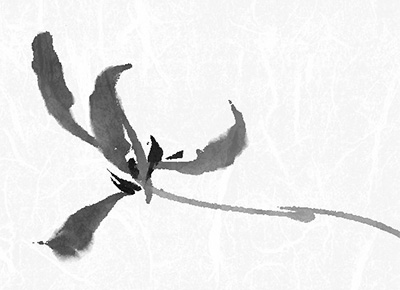


















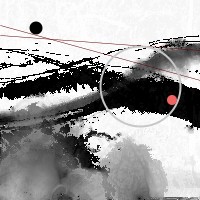 在一幅水墨畫上繪製四個圖形